PUBG
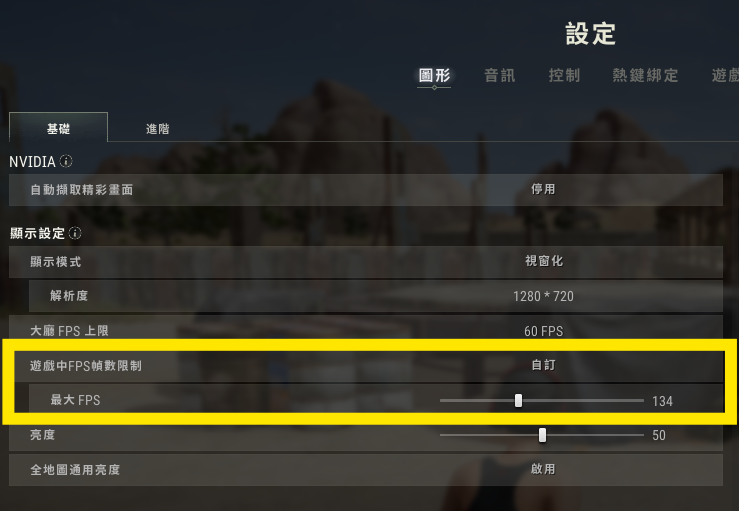
Set FPS limit
#You can improve detection frequency and get a smoother AIG Assist experience by setting an FPS limit
PUG Recoil Control
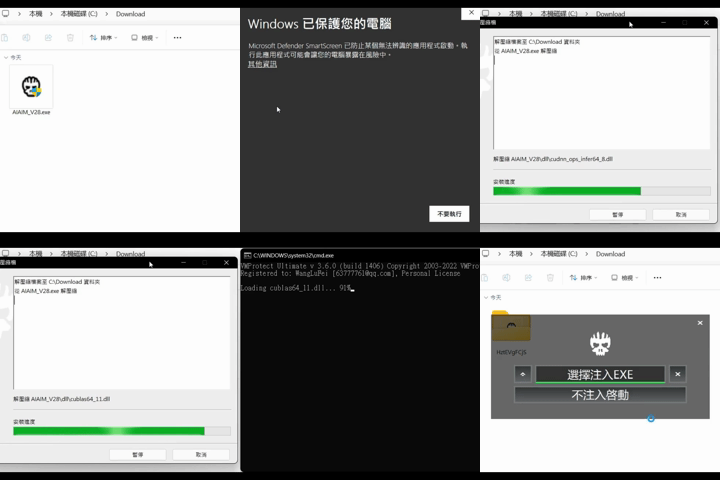
⬇️ Download Now#1. Double-click the downloaded installer
If Windows protection appears
2. Click More info
3. Click Run anyway
✅ AIG Assist will continue automatically until you see the injector window
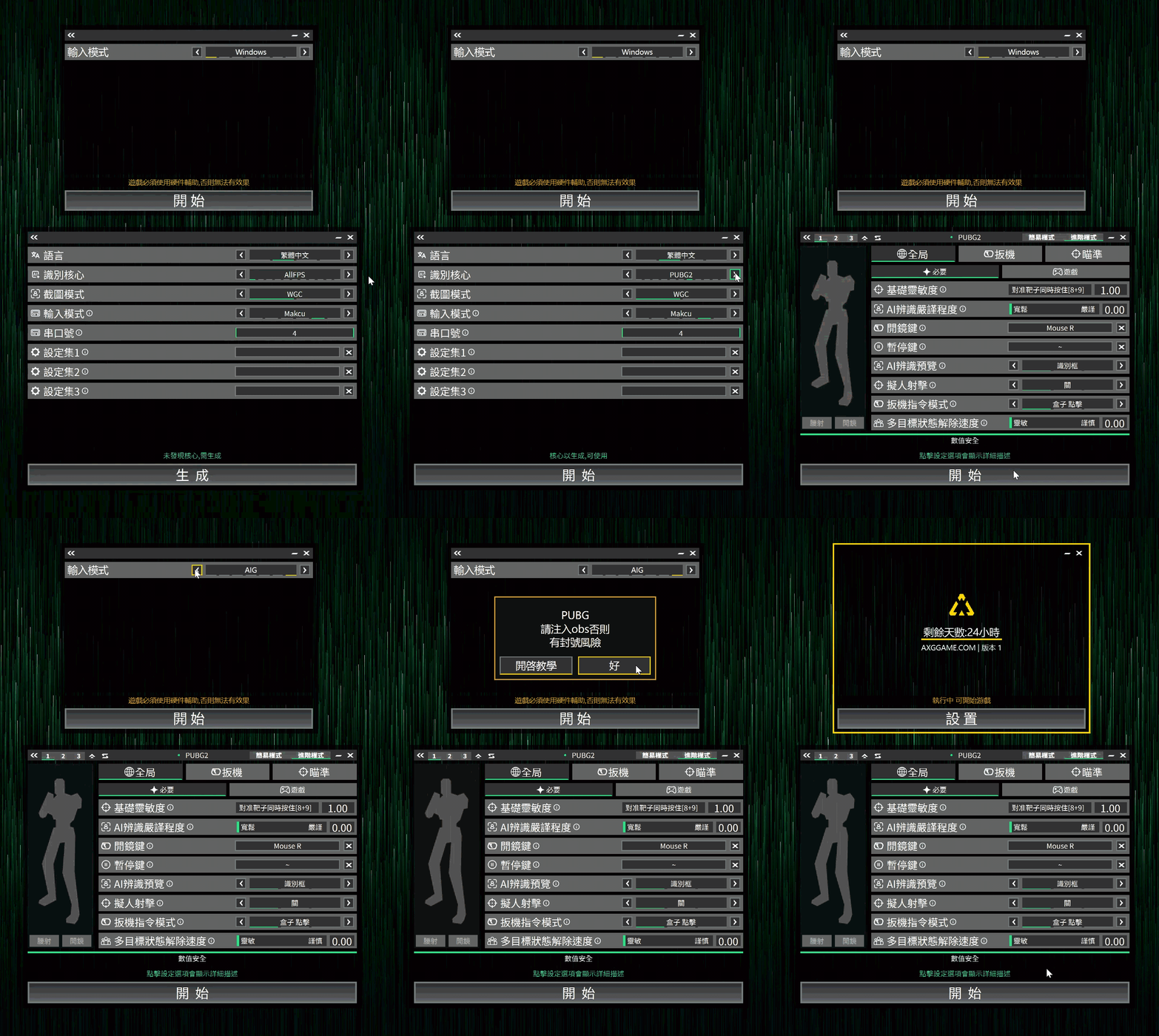
Using AIG + PUG Together
#1. Start AIG and select the PUBG2 core
2. Start PUG and set the input mode to 'AIG'
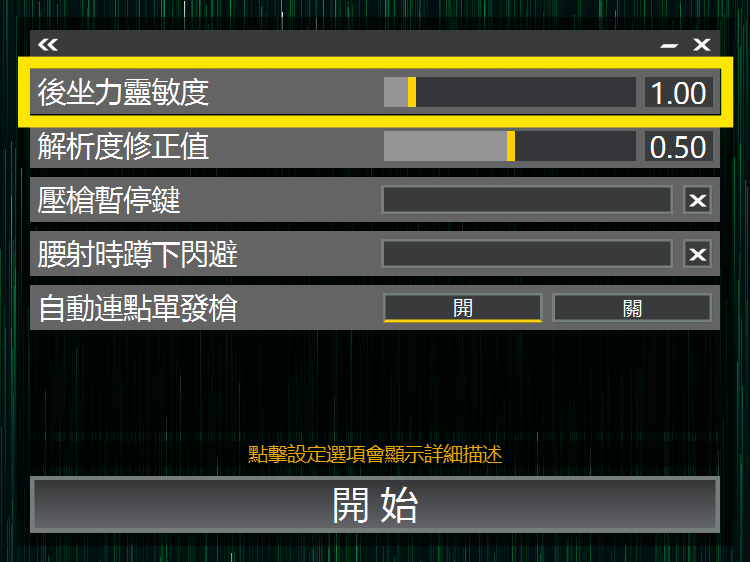
#Key recoil control settings
When a target is detected, recoil control is handled by AIG.
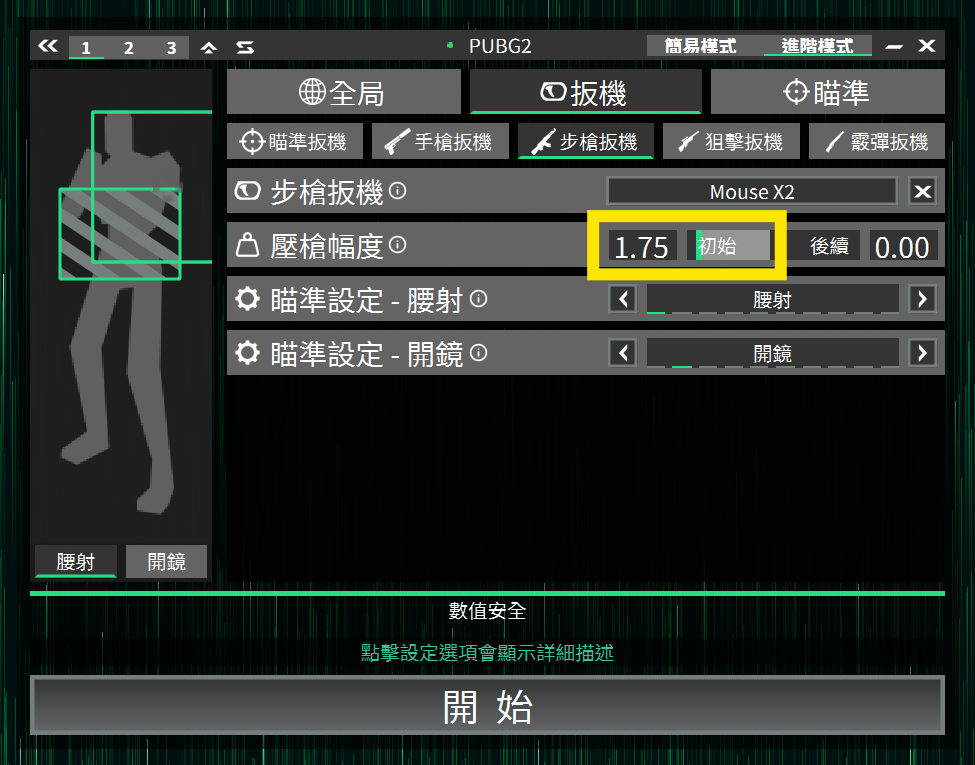
When AIG cannot detect a target, recoil control is handled by PUG.
#You are all set
- Enjoy
- Learn advanced mode
- Learn profile sets
- Learn game specific features
- Become an expert