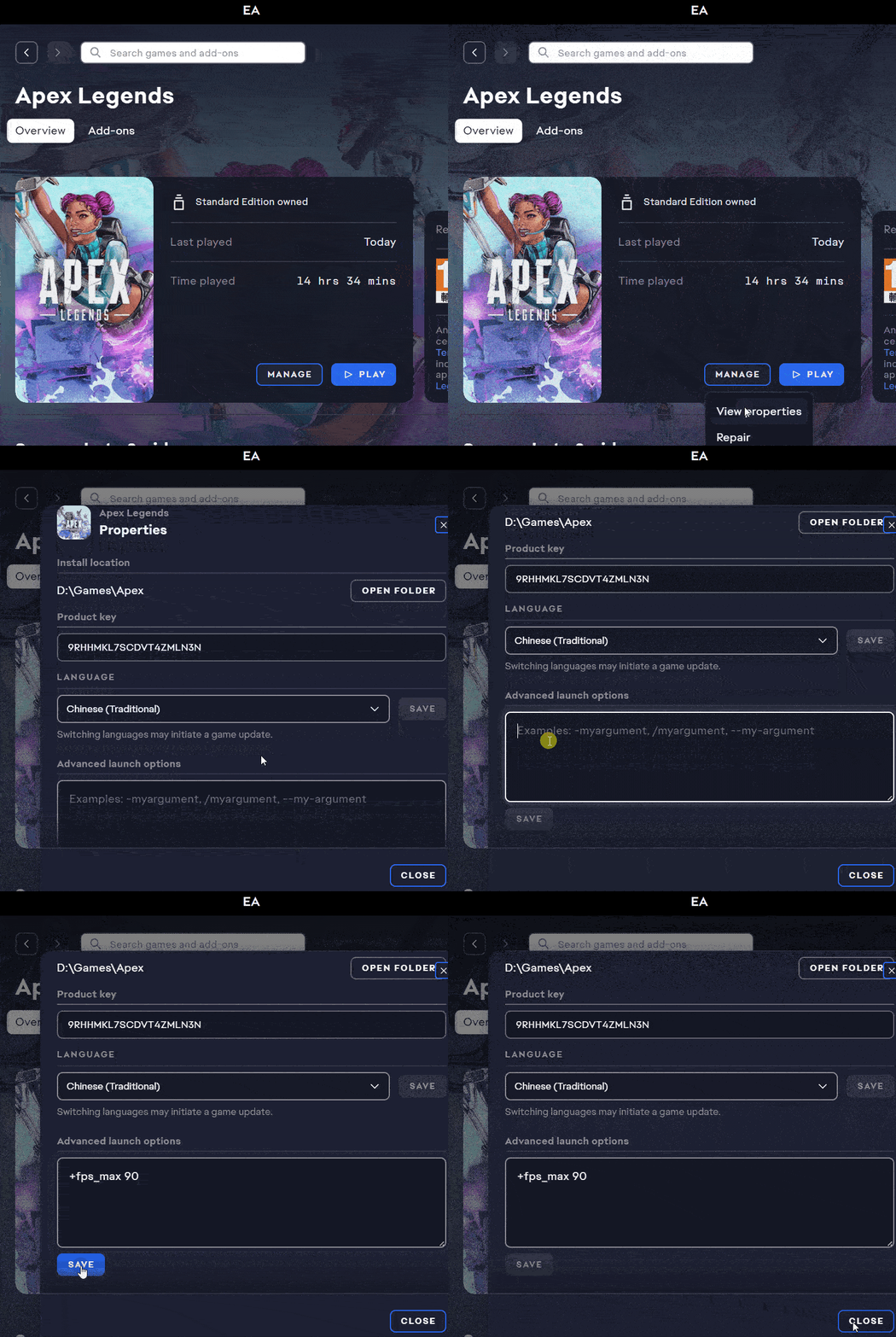
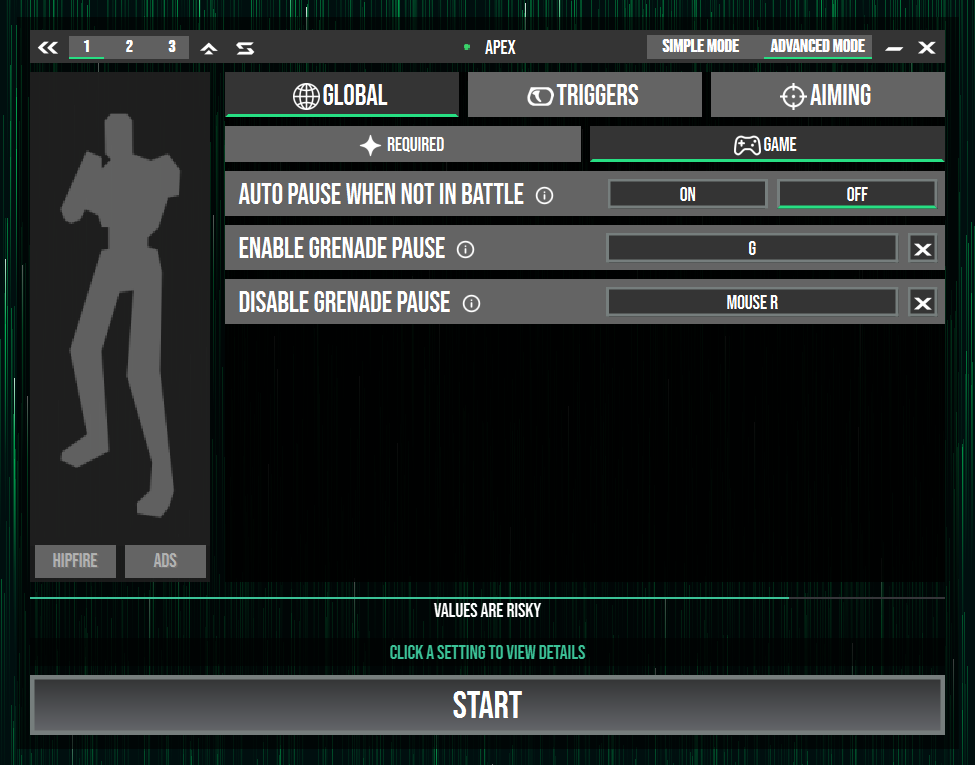
GamesApexOn this pageApex Set FPS limit #You can improve detection rate by setting an FPS limit for a smoother AIG Assist experience Command: +fps_max 120 (limit FPS to 120) Steam setupEA setup❓ Why set an FPS limit #Game specific settings#Auto pause outside combatWhen enabled, it checks whether you are in-game and pauses auto aim if not.#Enable grenade pauseClick to pause AIG Assist while you throw a grenade.#Disable grenade pauseClick to resume AIG Assist after throwing a grenade. #You are all set Enjoy Learn advanced mode Learn profile sets Learn game specific features Become an expert Back to start