Makcu
Buy the box
🛒 BuyInstallation
1.Driver installation
#1.Download the driver (CH343SER)
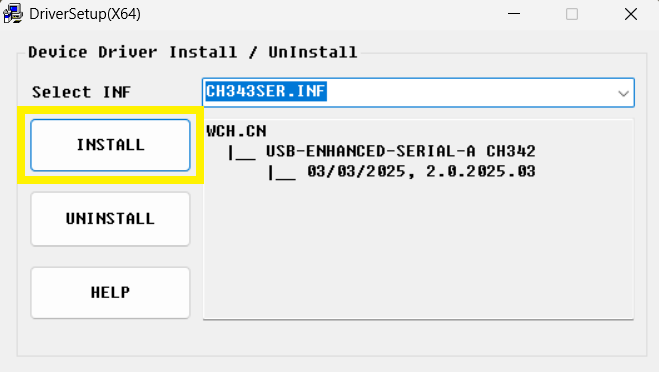
2.Open the driver
3.Click INSTALL
2.Connect the box to PC
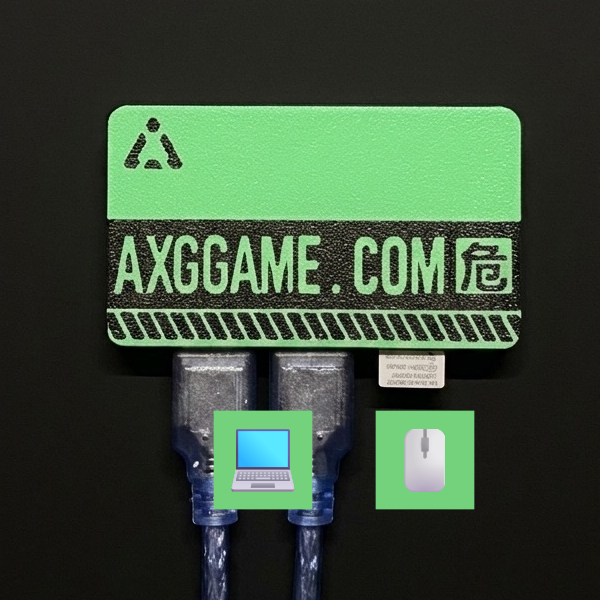
#Use the left/middle ports with the included USB cable to connect to the PC
The right port connects to the mouse or wireless receiver
3.Get the COM port
#1.Open Device Manager (right click the Windows Start button to find it)
2.Expand Ports (COM & LPT)
3.Find CH343 (COM?) and note the COM number

4.Connect the box to AIG Assist
#1.Open AIG Assist and log in
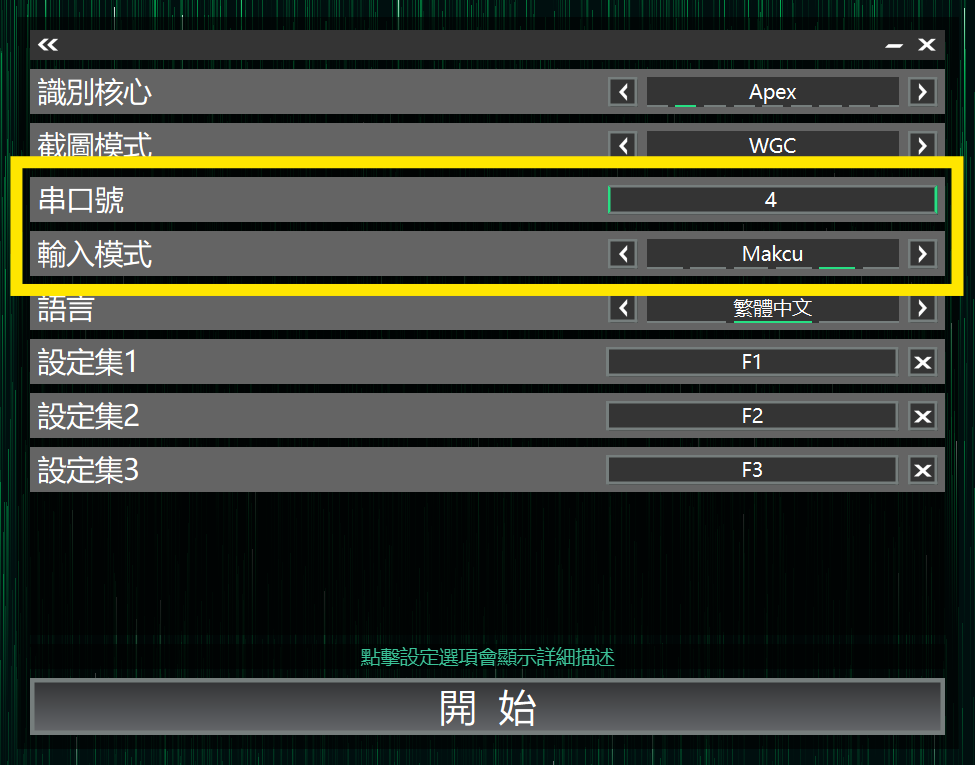
2.On the Core Selection page set Input Mode to Makcu
3.Enter the COM port number
4.Click Start button in AIG Assist to connect