Simple Mode
Video walkthrough
Detailed overview
Basics
Basics
Page image
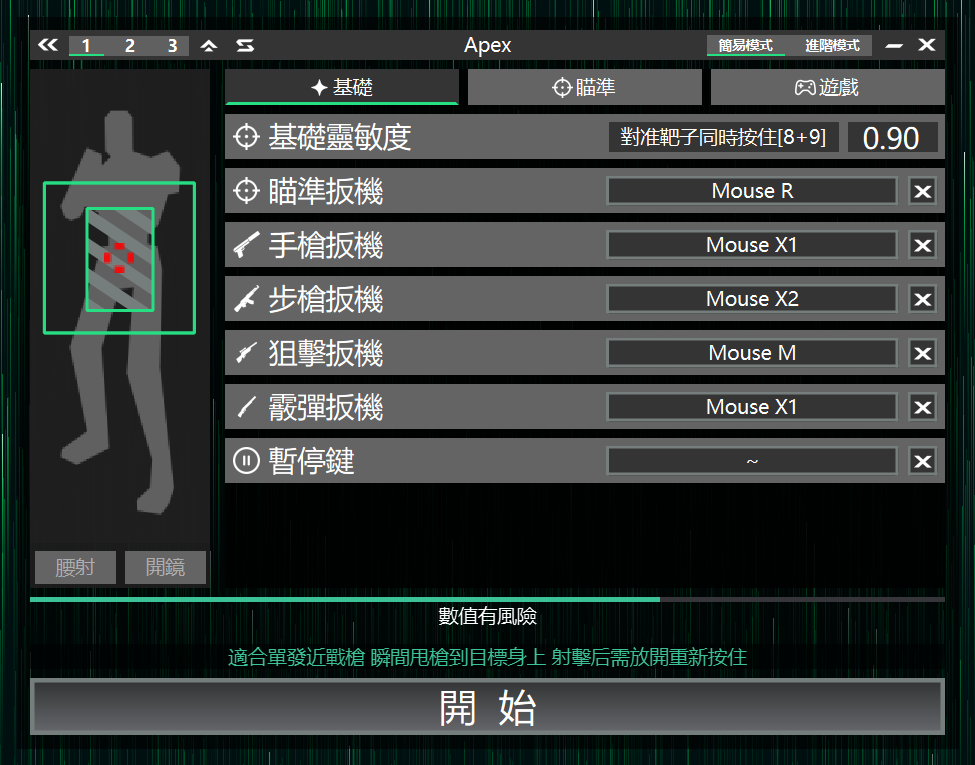
Base sensitivity
Used to calibrate the same screen displacement to mouse movement, ensuring consistent crosshair movement across devices.
Setup steps
1.Enable AIG Assist
2.Enter the game
3.Aim at a fixed target
4.Press and hold the top-row number keys 8 and 9 together
5.Wait until the crosshair stops moving to complete calibration
Aim Trigger
Hold to enable aim; can be bound to the in-game ADS key.
Pistol Trigger
Hold to enable aim; when the crosshair covers the target, auto-click the left mouse button. Suitable for single-shot weapons.
Rifle Trigger
Hold to enable aim; when the crosshair covers the target, keep holding the left mouse button until the target disappears. Suitable for automatic weapons.
Sniper Trigger
Hold to enable aim; when the crosshair covers the target, click the left mouse button once, then briefly stop aiming. Suitable for sniper weapons.
Shotgun Trigger
Hold to search for targets; when a target is detected, the crosshair quickly snaps to the enemy position. Release and press again to trigger the next shot; suitable for shotguns.
Special operation
Can be set to the same key as other trigger keys, letting other trigger keys quickly pull the crosshair at aim start to speed up firing rhythm.
This combination carries higher risk and may affect account safety
Pause key
Press in-game to pause AIG Assist, press again to resume.
Aim
Aim
Aim strength
Adjust auto-aim speed and pull strength. Higher values lock faster.
AI detection radius
Adjust detection range. Larger ranges find targets faster but require higher performance.
Trigger range ??
Set which body part height triggers the trigger key based on the crosshair's vertical position; adjust the preferred hit location.
Game
Game
Game style
Choose the combat pace based on game type to quickly match the experience. For VALORANT-like games choose Static, for Overwatch-like games choose Dynamic.
Recoil control
Adjust recoil compensation strength to reduce crosshair drift. This setting applies to Pistol Trigger and Rifle Trigger.
Multi target optimization
When enabled, with multiple targets it only locks onto the target under the crosshair; move the crosshair to the target you want to attack to trigger auto-aim.
Congratulations, you're done
- Install AIG Assist
- Optimize AIG Assist experience
- Connect the box
- Set base sensitivity
- Enjoy the game
- Learn Advanced Mode